




All Activity
- Past hour
-
 Im sending all the shitty californians over to Florida having experienced living in Florida in 97-99
-
 LIKE CAN THEY JUST STAY UP THERE PLEASE 😭😭😭😭😭
-
 atlanta can't support anymore people either STOP MOVING HERE TOO
-
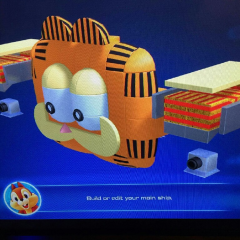 classic floridan
-
 i mean if he still have assets it wouldn’t hard to put in the game
-
But I do ask Northerners to stop moving here
-
As a representative of Florida, I apologize but also it's really not bad living here, man 😭
- Today
-

 Cuz' it sure folded like one
Is that car a Tesla cybertruck?
https://www.oginstagram.com/reel/Df8BiTgOFpi/?cnvx=a2RjdjhkaXBpN3Ft
secret reports with videos attached that are just the canned cutscenes lol
 whatever they add for reports or something
kh missing-link lore might be in some kind of data files in kh4
- Yesterday
 im waiting for pc but all the clips are just making me want to find a used xbox one since that is the cheapest way to play it
 Game looks unbelievable on a oled
Played a couple of hours this morning been having a fun time
 I really wish we’d gotten KH Missing-Link or some other new KH game before KH4.
 https://vxtwitter.com/SmollCuteFenne/status/2123375367897645480
 https://fixvx.com/CIinisk/status/2123040578757951708
I'm so sick and tired of this mfer
