Jump to content
View in the app

A better way to browse. Learn more.

KH13 · for Kingdom Hearts

A full-screen app on your home screen with push notifications, badges and more.

To install this app on iOS and iPadOS
  1. Tap the Share icon in Safari
  2. Scroll the menu and tap Add to Home Screen.
  3. Tap Add in the top-right corner.
To install this app on Android
  1. Tap the 3-dot menu (⋮) in the top-right corner of the browser.
  2. Tap Add to Home screen or Install app.
  3. Confirm by tapping Install.
Posted
Note: This is a special chat topic! This means that posts can be shorter and more casual here. Posts here are linked with and may appear on our Discord server.
  • Replies 21.4k
  • Views 477.6k
  • Created
  • Last Reply

Top Posters In This Topic

Most Popular Posts

Posted Images

Featured Replies

idk

makes competition a lot less relevant now

yup

which is why we have 5 billion vulpes and like 10 ursus

Do I need a Facebook account on khux to play pvp and have friends

Someone plz halp me

having a facebook account linked to your khux account just ensures that you'll have a way to recover your account if you lost your phone or something

it also ensures you can delete the app without worrying about corrupting your data

> it also ensures you can delete the app without worrying about corrupting your data
@King Arthur13 like I said ill link it to my moms

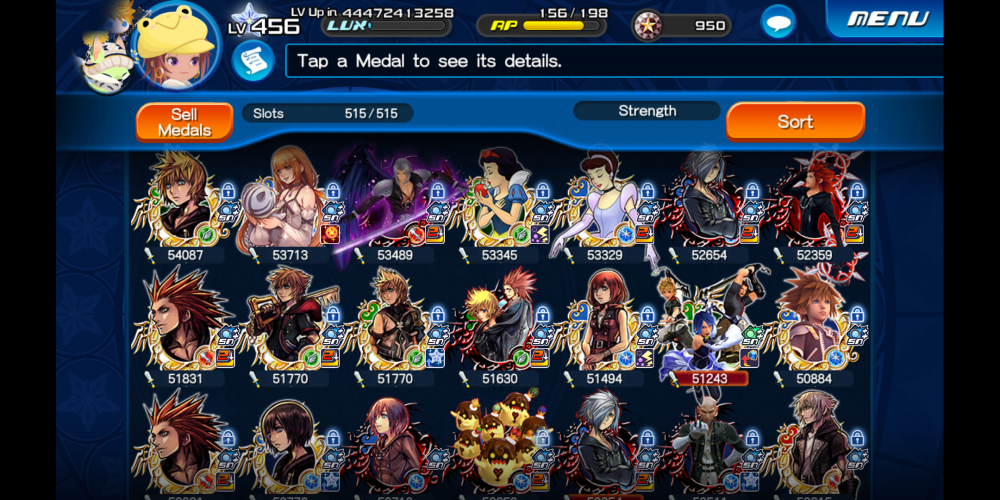
3 advices for pulling if you are just starting :
- Pull 3 times on the Beginner Banner to get the guaranteed Kairi, then put her in first slot of your keyblade
- Then only pull when you have enough to get the guaranteed medal from a 5-pull banner, it's the only way to catch up
- Never do 10-pull banners

Join the conversation

You can post now and register later. If you have an account, sign in now to post with your account.

Guest
Reply to this topic...

Configure browser push notifications

Chrome (Android)
  1. Tap the lock icon next to the address bar.
  2. Tap Permissions → Notifications.
  3. Adjust your preference.
Chrome (Desktop)
  1. Click the padlock icon in the address bar.
  2. Select Site settings.
  3. Find Notifications and adjust your preference.
Scroll to the top