




Jump to content
View in the app

A better way to browse. Learn more.

KH13 · for Kingdom Hearts

A full-screen app on your home screen with push notifications, badges and more.

To install this app on iOS and iPadOS
  1. Tap the Share icon in Safari
  2. Scroll the menu and tap Add to Home Screen.
  3. Tap Add in the top-right corner.
To install this app on Android
  1. Tap the 3-dot menu (⋮) in the top-right corner of the browser.
  2. Tap Add to Home screen or Install app.
  3. Confirm by tapping Install.

Vaude

Verified Member
  • Joined

  • Last visited

  1. Mystics Apprentice left a comment on Vaude's profile

    Vaude, did you know . . . ?


    Spoiler

    Shinigami like apples.


    Vaude replied

    *L-faced glare at screen*.

  2. Mystics Apprentice left a comment on Vaude's profile

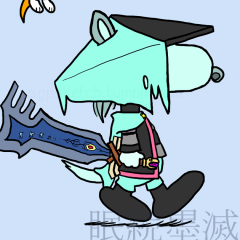
    Digging the new avvie, Mr. Vaude. ; ) Snoopy makes the perfect Dust.

    Vaude replied

    Hey hey! I'm glad someone on this site recognised the crossover. =P Good on you there!

  3. Nero Kunivas left a comment on Vaude's profile

    Mr. Vauderson... xD

    Vaude replied

    Welcome back. We . . . missed you.


    One has to love The Matrix. =P

    Nero Kunivas replied

    Cookies need love like everything does... *Unified Smith laughter* xD

    Vaude replied

    Hope you have cookies enabled!

  4. Mystics Apprentice left a comment on Vaude's profile

    Thought that I would shout at the top of my lungs on your profile page just so it looks a little less bland. : P (Plus I'm secretly hoping Flick will play with me).

    Vaude replied

    Hey hey! Thank you for the commentary (as well as shouting =P ) and dear ol' Flickertongue Slitherdrake Snickersnack IV, Esq. would be happy to play with you! Mind you, he's toothless, so catch is out of the question, but he -loves- tag.

Configure browser push notifications

Chrome (Android)
  1. Tap the lock icon next to the address bar.
  2. Tap Permissions → Notifications.
  3. Adjust your preference.
Chrome (Desktop)
  1. Click the padlock icon in the address bar.
  2. Select Site settings.
  3. Find Notifications and adjust your preference.
Scroll to the top


