Jump to content
View in the app

A better way to browse. Learn more.

KH13 · for Kingdom Hearts

A full-screen app on your home screen with push notifications, badges and more.

To install this app on iOS and iPadOS
  1. Tap the Share icon in Safari
  2. Scroll the menu and tap Add to Home Screen.
  3. Tap Add in the top-right corner.
To install this app on Android
  1. Tap the 3-dot menu (⋮) in the top-right corner of the browser.
  2. Tap Add to Home screen or Install app.
  3. Confirm by tapping Install.

All Profile Comments

211,891 profile comments

  1. AROD666 posted a status update

    'S'ex&'M'oney

  2. WakingDawn96 posted a status update

    So I ended up watching the new DCOM Girl vs. Monster. It wasn't that bad and it sorta reminded me of movies from my childhood time.

    Roxie replied

    I havent watched the whole movie just the end. But good think I recorded it.

  3. Jim posted a status update

    Probably gonna visit home today. It's weird not seeing my family or friends for so long.

  4. Yang posted a status update

    So whatever happened to DarkRealm20?

    Kirux replied

    something about roxasman...idk

    Weiss replied

    Darkrealm20 was apparently roxasman. Both are banned I think.

    DarkRealm20 is banned. Not Roxasman.

    AROD666 replied

    why did they ban him?

  5. Lady Aleister posted a status update

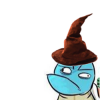
    I like my profile picture now :3

    Col.Random replied

    lol kinda looks like a girl being attacked by a panda ^_^

    Lady Aleister replied

    Well truthfully, It's a boy xD but I specifically address him as a girl. And that is a panda hat, IDK why he has it...

  6. StarStruck posted a status update

    Went on DevianArt today...... Now I have a huge inspiration to draw another KH OC...

  7. wayfinder823 posted a status update

    My friend and I are seriously thee funniest people in the world. Everyone else just doesn't want to accept the fact.

  8. KairiChristian posted a status update

    Hey everyone! Sorry its been so long. I hope everyone is alright!

  9. Naught posted a status update

    I think it's time for me to... actually do something.

  10. Shera Wizard posted a status update

    YAY IN THE CHAT ROOM!

    VanitasisKirby replied

    What's going on in the chatroom? :O

    Weiss replied

    ADVERTISEMENT IS ILLEGAL ON KH13! xP

    Shera Wizard replied

    find out yourself! and get free candy :3

    VanitasisKirby replied

    I want candy! X3 I'll be there in a minute

    Shera Wizard replied

    keys: quit destroying my fun >:C

  11. Queen Tery posted a status update

    And now I have a reason to start using Skype again.

    To mindfiretruck the horny firetrucker.

    Queen Tery replied

    Yes... and to talk to my amazing friends.

  12. kalnet posted a status update

    Will upload another "XCOM Feat. KH13 Members" video tomorrow in HD. Already got another one in the bag.

  13. Shera Wizard posted a status update

    SLOW INTERNET IS SLOW. AND FIRETRUCKING ANNOYING. I WANT TO GO BACK HOME :<

    Roxie replied

    My computer is so firetrucking slow it's frustrating.

    Shera Wizard replied

    Fast internet=slow pc vice versa xD

  14. molissacruz posted a status update

    haha i see u added me as a friend:)

    Sakuraba Neku replied

    yo you add me now, whats up? =D

  15. Koko posted a status update

    spookygender.tumblr.com/post/33474360093/pepethekingpelipper-jellybeing-predditor told u guys reddit was awful

    Queen Tery replied

    It's a good thing I don't visit Reddit.

  16. Shana09 posted a status update

    NOOOOoooooo

  17. molissacruz left a comment on GN_Otaku's profile

    hi:)

  18. Koko posted a status update

    i want to be at NYCC ;_;

    Shana09 replied

    come to nyc

    ill send a subway there

  19. Lady Aleister posted a status update

    One of my roleplays reached 100 pg.'s this morning

Configure browser push notifications

Chrome (Android)
  1. Tap the lock icon next to the address bar.
  2. Tap Permissions → Notifications.
  3. Adjust your preference.
Chrome (Desktop)
  1. Click the padlock icon in the address bar.
  2. Select Site settings.
  3. Find Notifications and adjust your preference.
Scroll to the top